CFD-POST Free Course

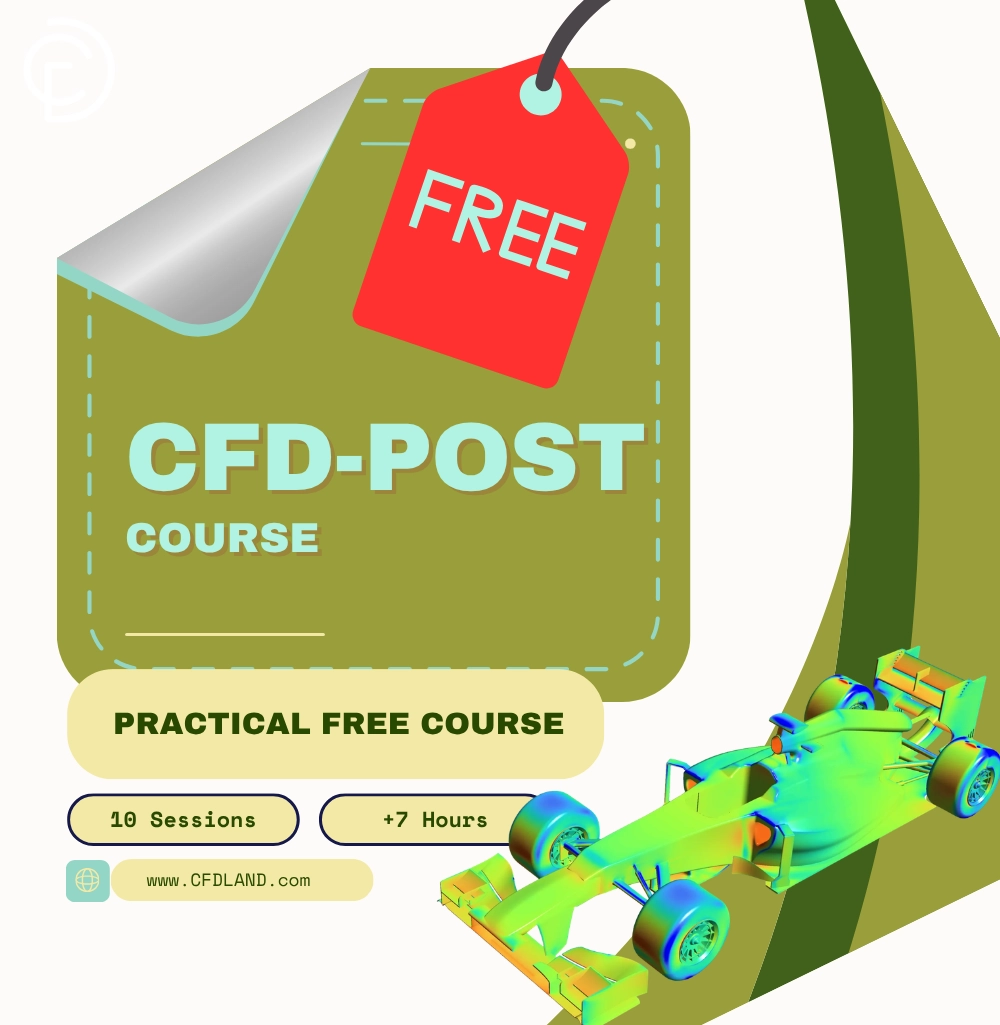
Learn how to visualize your fluid simulations with this complete CFD-POST Course. This FREE training includes 10 step-by-step sessions for beginner, intermediate, and advanced users. You will learn exactly how to extract engineering data and create professional visual reports from your ANSYS Fluent results.

We teach you every essential tool in the software practically. You will master 2D and 3D Streamlines, all types of Contours, and exact data extraction using the Function Calculator. We also show you how to export Transient Simulation Data properly and create high-quality CFD Animations. Start this free course today to present your engineering projects perfectly.

Free

Category

Course details

Course Type : Offline

Course Duration : +7 Hours

Syllabus : 10 Sessions

Description

The success of any CFD simulation heavily depends on how clearly you present your results. A perfect mathematical solution is useless if you cannot extract the right engineering numbers or create professional visual reports. Many engineers and students struggle to calculate precise data, plot charts, or render complex 3D flows because learning post-processing tools can be confusing and takes too much time.

This is why we have developed a complete ANSYS CFD-Post FREE course. This training program is designed to solve these problems by offering a practical, comprehensive, and simple educational experience. This course provides a step-by-step path to master every essential visualization and calculation tool inside CFD-Post. Whether you want to export transient data, calculate forces, or make high-quality animations, this course will give you the exact skills you need to present your simulations like an expert.
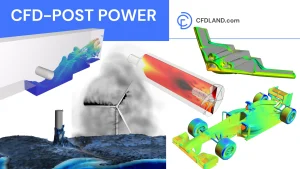
Free CFD Post Course

What You'll Learn In FREE CFD-POST Course

Post-processing is the final and most important step to understand your simulation results. In this free course, you will learn how to use ANSYS CFD-Post completely. By the end of this course, you will be able to:
    Interface Navigation and Setup: Learn the CFD-POST interface and understand how to properly load your ANSYS Fluent simulation results (.cas and .dat files).
  • Mastering Visualization Tools: Create Cut-Planes and use Contours, Vectors, and Streamlines to clearly see fluid movement, recirculation, and pressure fields.
  • Data Analysis and Calculation: Use the Function Calculator and write custom Expressions to extract exact engineering numbers like Mass Flow Rate, and graph them using XY Charts.
  • Advanced 3D Visualization: Explore complex 3D flow structures by creating Iso-Surfaces and track particle paths using DPM Particle Tracking.
  • Practical Workflow and Export: Create dynamic Animations, use the Case Comparison tool to check different models, and export your final videos and numerical data.

Syllabus for CFD-POST Course In ANSYS Fluent

  • Introduction and Interface: Learn the graphical user interface (GUI), the viewer, and the outline tree. Learn how to move the 3D model (rotate, pan, zoom).
  • Loading Simulation Data: Learn how to import .dat and .cas files from ANSYS Fluent. Understand the difference between loading a single case and a history file.
  • Basic Settings: Master the basic menus including File, Edit, Options, Tools, and View Render tabs.
  • Exporting Data: Learn how to export solution data, such as .cdat files, to use in other tools.
  • Transient Data Export: Learn the exact steps to export data for Transient Simulations properly.
  •  
  • Preparing the Domain: Create Cut-Planes (XY, YZ, ZX) to see inside your model. Create Lines and Points to sample specific data.
  • Working with Contours: Create Contours to visualize any scalar field (like pressure, velocity, temperature, or any other property).
  • Contour Settings: Change color maps, set global or local ranges, and adjust transparency. These settings apply to almost all tools in the software.
  • Tracking Fluid Movement: Generate Streamlines from an inlet to see the flow direction and find recirculation zones.
  • 2D and 3D: Learn how to create and adjust both 2D and 3D Streamlines.
  • Vector Plots: Create vector arrows on a plane for directional analysis. Adjust the arrow size and density to see the flow patterns of any variable clearly.
  • Customizing the Legend: Learn all settings for the color legend. Adjust text size, colors, and numbers to make your images look highly professional.
  • Extracting Numbers: Use the calculator to find critical engineering data like Mass Flow Rate, Average values, and Forces.
  • Expressions and Variables: Write simple codes to create custom calculations. For example, write a formula for total pressure loss.
  • Creating Points: Learn how to define specific points for data extraction.
  • Creating Lines: Learn how to define lines across your geometry.
  • Graphing Data: Plot any variable along a line using XY Charts. Learn how to visualize a boundary layer profile perfectly.
  • 3D Flow Structures: Create Iso-Surfaces that show a constant value in 3D space.
  • VOF Interfaces: Learn how to visualize the exact water level or boundaries in multiphase flows.
  • Tracking Particles: Visualize the paths of solid items or droplets moving inside your fluid domain.
  • Dynamic Presentation: Make moving animations of your streamlines or move a cut-plane through the domain.
  • Video Export: Save your work as a high-quality video file to show your clients.
  • Comparing Cases: Open two different simulation files at the same time. Put them side by side to compare the results easily.
  • Exporting Results: Export your tables and data safely for use in Excel or other programs.

Why Choose This Course?

  • It is 100% Free: You get full access to all 10 sessions at zero cost.
  • Direct and Practical: We do not waste time. We teach you exactly which buttons to click to get the data you need.
  • High Engineering Value: Solving the math is only half the job. Knowing how to report Mass Flow Rate, pressure drops, and charts is what companies want.
  • For All Levels: It starts from the very beginning. You do not need any past experience with CFD-Post.

Frequently Asked Questions

  • Is this course really free? Yes. This entire CFD-Post course is completely free for all users.
  • What software do I need for this course? We use ANSYS CFD-Post. It comes installed automatically when you install ANSYS products like Fluent or CFX.
  • Which file types can I import into CFD-Post? We teach you how to load standard ANSYS Fluent files. These are case files (.cas) and data files (.dat).
  • Do I need to know coding to create custom variables? No. We teach you how to use simple math expressions in the software to calculate new things, like total pressure loss. You do not need coding skills.
  • Can I make videos for my presentations? Yes. Session 9 is fully dedicated to making CFD Animations. You will learn how to save them as video files to show your clients or teachers.
FAQ

This course is ideal for engineers, researchers, and professionals seeking to deepen their understanding of PCM technology and its real-world applications. Whether you’re involved in energy management, thermal engineering, or product design, this course provides valuable insights and practical skills to drive innovation in your field.

  • In-depth understanding of Phase Change Materials and their thermodynamic properties
  • Proficiency in simulating and analyzing PCM systems using industry-standard tools
  • Practical insights into applying PCM technology for heat transfer enhancement, energy storage, and renewable energy solutions
Reviews

Reviews

There are no reviews yet.

Be the first to review “CFD-POST Free Course”

Your email address will not be published. Required fields are marked *

Course details

Course Type : Offline

Course Duration : +7 Hours

Syllabus : 10 Sessions

Similar Products
Shopping Cart
Scroll to Top