Dynamic Mesh Training Course in ANSYS Fluent
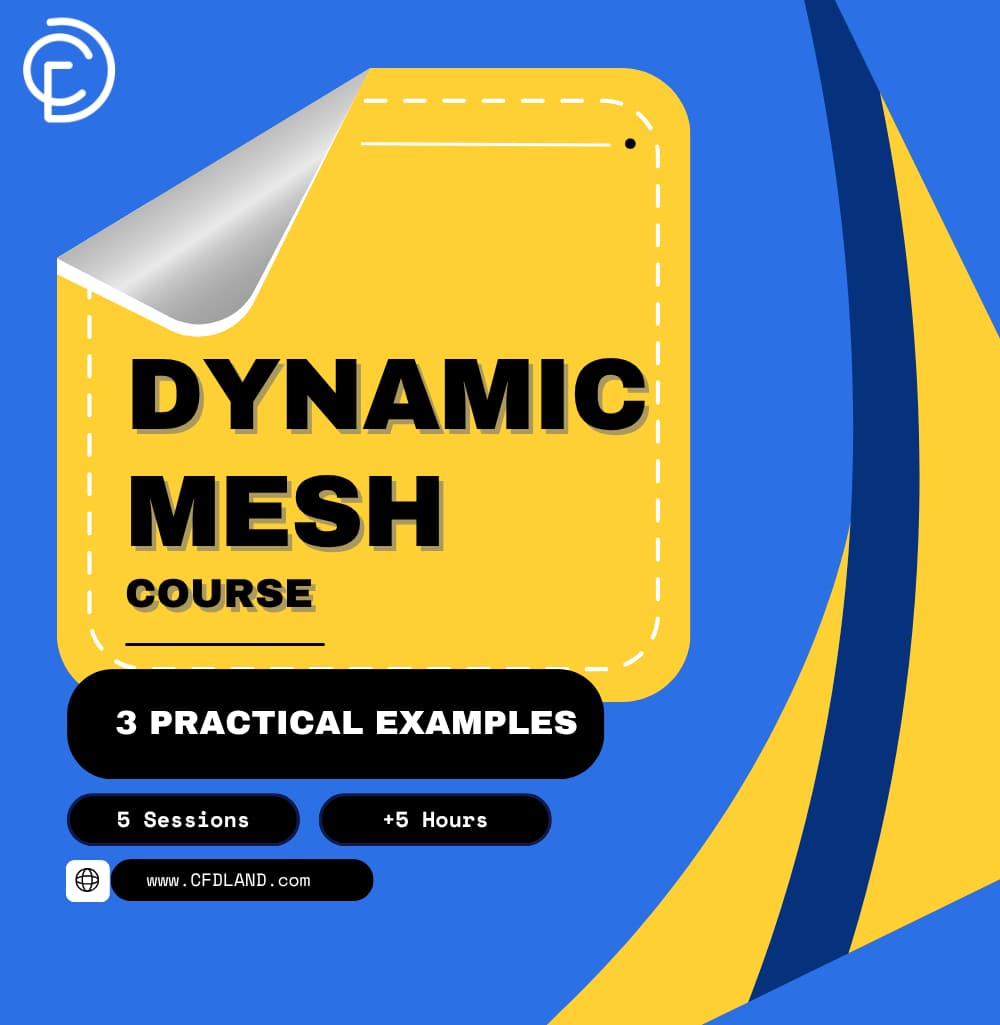
Learn how to simulate moving parts with this complete Dynamic Mesh Course in ANSYS Fluent. This training provides over 5 hours of video. It is proper for beginner, intermediate, and advanced learners. You will learn exactly how to set up moving grids and solve Fluid-Structure Interaction (FSI) problems. After finishing the course, you will receive a professional certificate.
The training includes 5 step-by-step sessions:
- Session 1: Master the Physics Setup and grid rules.
- Session 2: Write Dynamic Mesh UDF Codes from zero.
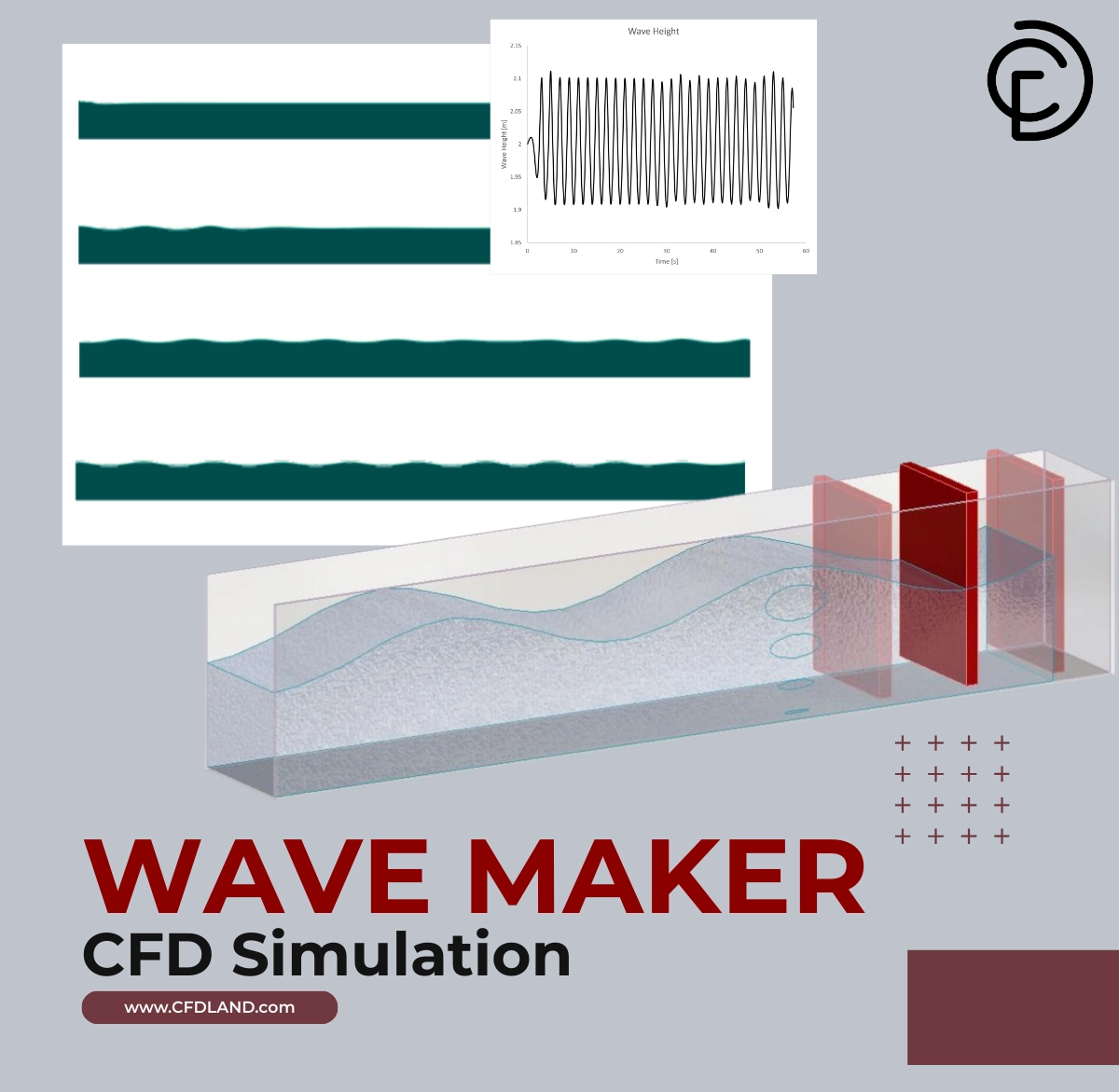
- Session 3: Run a multiphase Wave Maker simulation.
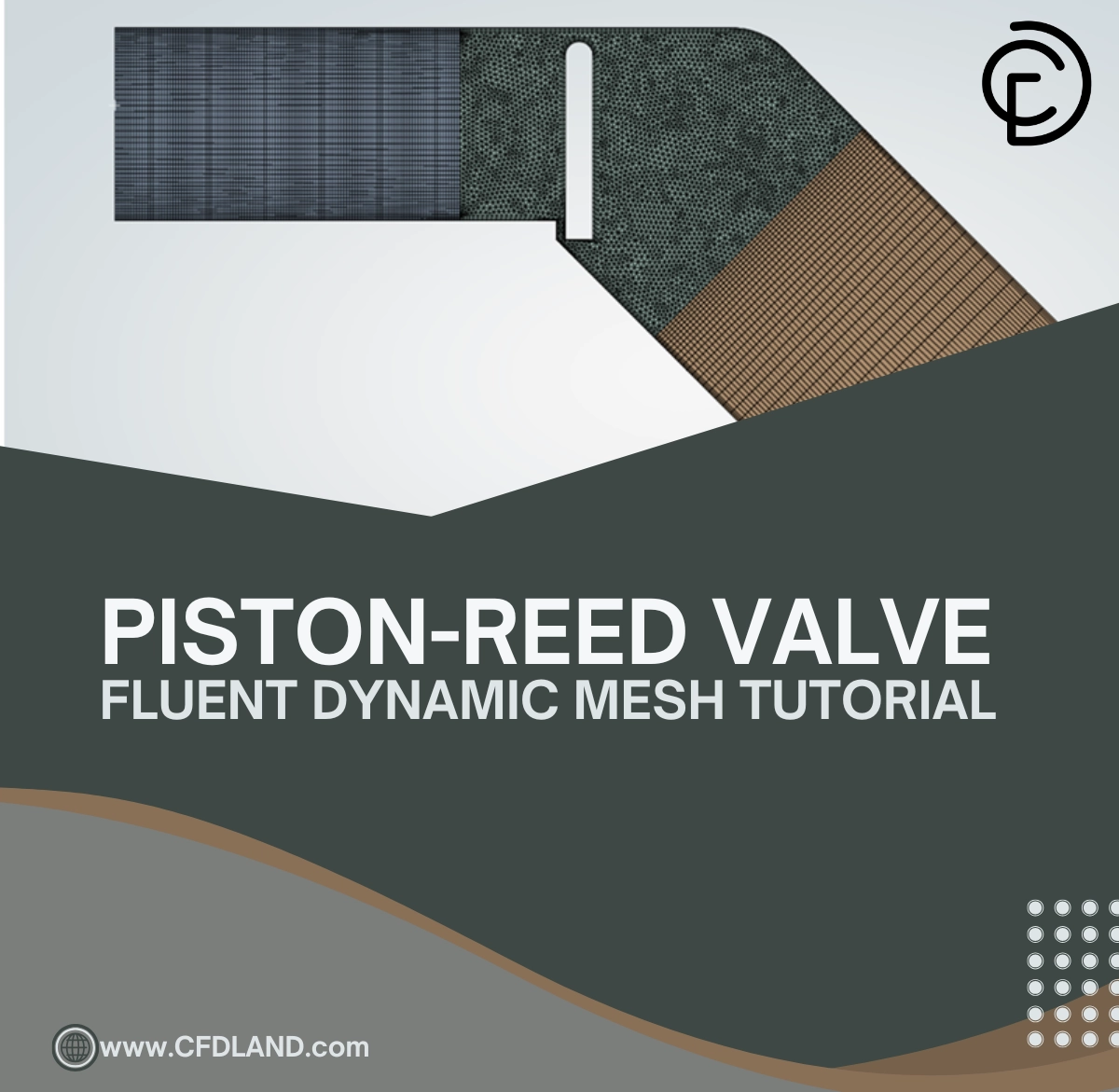
- Session 4: Simulate a flexible Reed Valve with Contact Detection.
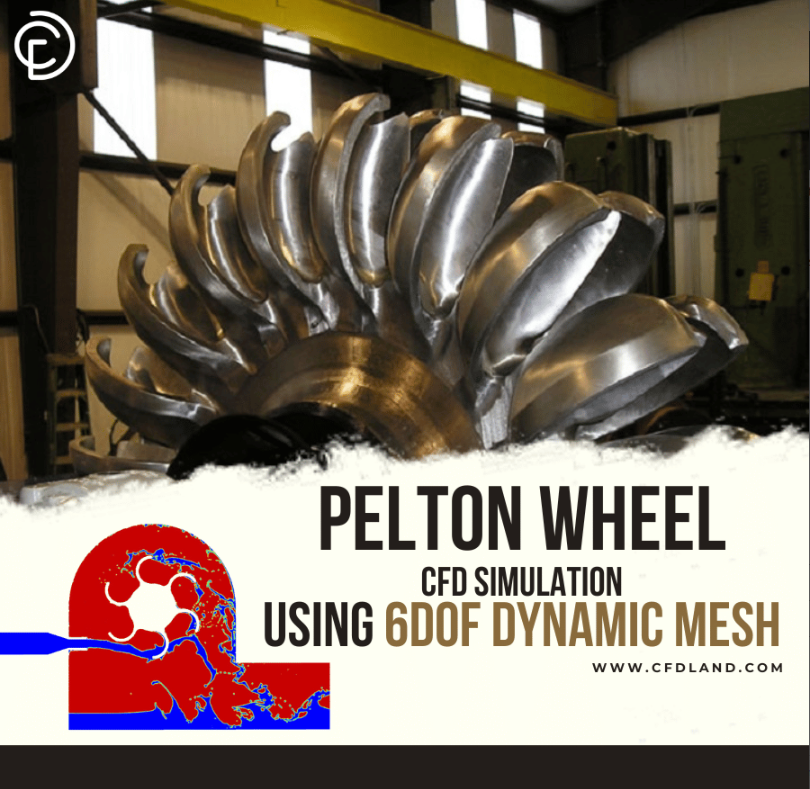
- Session 5: Build an advanced 6DOF Pelton Wheel turbine.
€575 Original price was: €575.€325Current price is: €325.
Course details
Course Type : Offline
Course Duration : +5 Hours
Syllabus : 5 Sessions
What You'll Learn In Dynamic Mesh Course
-
In this complete Dynamic Mesh course, you will learn how to simulate moving parts in ANSYS Fluent. We use very simple words to teach you everything, from the basic setup to advanced UDF coding. Here are the 7 key things you will learn:
- The Math and Rules: You will understand the ALE Formulation and GCL (Geometric Conservation Law). You will learn why the time step size is critical to avoid artificial mass creation.
- Advanced Setup: You will learn modern tools like Overset Mesh, the In-Cylinder model for engines, and Relative Motion (Parent-Child links) for linked gears and valves.
- Writing UDF Codes: We will teach you C programming from zero. You will write a Compiled UDF Fluent to control exact node movements and geometry changes.
- Physics-Driven Motion: You will use the 6DOF solver to let fluid forces (pressure) push and move your objects using Newton’s laws (F=ma).
- Fixing Crashes: You will learn exactly how to fix the deadly Negative Cell Volume error by using the Size Remeshing Interval, Implicit Update, and correct Courant numbers
- Complete CFD examples: You will run 3 full industrial simulations: a wave maker paddle, a pressure-driven reed valve, and a 6DOF Pelton wheel.
Syllabus for Dynamic Mesh Course In ANSYS Fluent
This session is very deep. It covers every button and rule in the Dynamic Mesh panel. We explain the core theory and how the solver actually works.
- Dynamic Mesh vs. MRF: We learn the golden rule: If the domain volume changes, you MUST use Dynamic Mesh. Sliding Mesh is only for rigid rotation.
- Physics Theory: We study the Arbitrary Lagrangian-Eulerian (ALE) formula and Grid Velocity. We learn the GCL rule: boundaries must not cross a cell center in one step.
- Zone Types: How to correctly assign Rigid Body, Deforming, and Stationary zones. We also cover Passive Zones.
- Smoothing Methods: A deep look at all four models. We cover Spring-Based Smoothing (Spring Constant Factor), Diffusion-Based (Diffusion Parameter), Linearly Elastic Solid, and Radial Basis Function (RBF). We also learn how to protect inflation layers using the Deform Adjacent Boundary Layer tool.
- Dynamic Layering: How to add or remove structured cells. We explain Height-Based vs. Ratio-Based, Ideal Cell Height, Split Factor, and Collapse Factor.
- Remeshing: Rebuilding bad cells. We cover Local Cell, Local Face, Region Face, and 2.5D Remeshing. We explain the rules: Minimum/Maximum Length Scale, Maximum Cell Skewness, and Size Remeshing Interval. We also look at Zone Remeshing for emergencies.
- Modern Tools: How to use Overset Mesh for zero-deformation overlapping grids, and the In-Cylinder model for engine kinematics (Crank Radius, RPM).
- 6DOF Solver Setup: Defining mass, moment of inertia tensor, and 1DOF translation/rotation constraints.
- Advanced Panel Options: We deeply cover Relative Motion (how to set up a Child zone that moves with a Parent zone). We also explain the Exclude Mesh Motion in Boundary Conditions box (when to use it for physical motion vs. numerical sliding).
- Stability & Troubleshooting: Using Implicit Update for light objects, using Events (Crank Angle), and a step-by-step guide to fixing the Negative Cell Volume error.
In this session, you learn how to write a Dynamic Mesh UDF code using Microsoft Visual Studio. We explain every data type and macro simply.
- UDF Basics: Setting up the C Compiler. Understanding
udf.handdynamesh_tools.h. - Data Types & Macros: Learning Fluent’s special containers (
real,Thread,Dynamic_Thread). Using Vector Math (NV_S,NV_MAG), Time macros (CURRENT_TIME), and Looping macros (begin_f_loop). - DEFINE_CG_MOTION: Prescribed solid motion.
- Example 1: Store separation (bomb drop) with acceleration and rotation.
- Example 2: Steady-state motion (pseudo-transient).
- DEFINE_GEOM: Keeping nodes on a specific mathematical shape.
- Example 3: Forcing nodes to follow a Parabola curve.
- DEFINE_GRID_MOTION: Deforming individual mesh nodes.
- Example 4: Simulating a pulsing artery using sine wave equations and
SET_DEFORMING_THREAD_FLAG.
- Example 4: Simulating a pulsing artery using sine wave equations and
- DEFINE_DYNAMIC_ZONE_PROPERTY: Changing settings during the run.
- Example 5: Changing layering cell height for a piston near Top Dead Center.
- Contact & 6DOF UDFs:
- Example 6: Store Separation with an ejector spring using
DEFINE_SDOF_PROPERTIES. - Example 7: A 1-DOF rocket constrained to a rail. We also learn
DEFINE_CONTACTto stop negative volumes when valves close.
- Example 6: Store Separation with an ejector spring using
This is a perfect example to show how solid motion interacts with free-surface liquids. It shows the greatness of combining a simple UDF with multiphase physics.
- What you will do: You will build a 2D water tank with a rotating paddle.
- The Magic: You will write a
DEFINE_CG_MOTIONcode to move the wall back and forth like a sine wave. - The Result: You will use Dynamic Layering perfectly. You will watch real water waves form using the VOF model. It proves you can control rigid motion precisely while the fluid domain adapts around it.
This is a masterpiece of Fluid-Structure Interaction (FSI). Simulating a closing valve is one of the hardest jobs in CFD because the mesh gap drops to zero, which usually crashes the software. This example shows you how to defeat that crash.
- What you will do: You will simulate a flexible reed valve that is pushed open and closed by water pressure.
- The Magic: You will use the 6DOF solver. You do not tell the valve when to open; the fluid pressure decides!
- The Result: You will combine three UDFs. You will use
DEFINE_CONTACTto detect when the valve hits the wall. This stops the mesh from crushing to zero. It is a brilliant example of handling extreme mesh deformation safely.
This final project shows the true, supreme power of the 6DOF solver in ANSYS Fluent. It is a pure, physics-driven simulation with zero prescribed velocity.
- What you will do: You will simulate a complex Pelton turbine wheel with cups. A high-speed water jet will shoot at the cups.
- The Magic: You only define the mass and the Moment of Inertia of the heavy steel wheel using
DEFINE_SDOF_PROPERTIES. You lock it to only rotate on one axis (1-DOF Rotation). - The Result: When you run the simulation, the water hits the wheel. The force of the water makes the wheel spin. Fluent calculates the exact RPM and torque for you. This example proves you can simulate highly advanced, real-world machines perfectly.
Course Preview
Why Choose This Course?
We designed this as the most comprehensive Dynamic Mesh Course in the world. We focus on real-world value. Here is why you must choose this course:
- Unbeatable Cost Comparison: Buying 3 individual CFD tutorials costs a lot of money and leaves gaps in your knowledge. Our course consolidates everything into one package, providing a much lower cost and a higher value.
- Massive Content: You get over 5 hours of high-quality video content spread perfectly across 5 complete sessions.
- For All Learners: The course is perfectly structured. It welcomes beginners, builds skills for intermediate users, and provides deep UDF coding for advanced learners.
- Total Simplicity: We use simple language and step-by-step logic. We break down highly complex C programming and mathematical formulas so anyone can understand them.
- Practical Techniques: We do not just teach theory. We cover all essential techniques in practice. You will use every single mesh update method on real industrial examples.
- Valuable Certificate: Upon successful completion, you receive a Certificate of Completion. This serves as formal recognition of your skills. It validates your learning, makes your achievements portable, and greatly enhances your resume and professional credibility.
Frequently Asked Questions
- Do I need past coding experience to take this course? No, you do not need any coding experience. The instructor uses a very simple teaching style. In Session 2, we teach you how to write C programming codes from the absolute beginning, step by step.
- How is the course delivered and what is the time commitment? This is a self-paced online video course. It contains over 5 hours of high-quality video across 5 sessions. You can watch the videos at your own speed, pause them, and practice on your own computer whenever you want.
- Is this course just theory, or will I get practical experience? You will get a lot of practical experience. After learning the setup and coding tools, you will complete 3 full industrial projects. You will simulate a wave maker, a pressure-driven reed valve, and a 6DOF Pelton wheel turbine from start to finish.
- How long will I have access to the course materials? When you purchase this course, you get lifetime access to all the videos, slides, and project files. You can always come back to watch the lessons again for future reference. You also get a certificate when you finish!
This course is ideal for engineers, researchers, and professionals seeking to deepen their understanding of PCM technology and its real-world applications. Whether you’re involved in energy management, thermal engineering, or product design, this course provides valuable insights and practical skills to drive innovation in your field.
- In-depth understanding of Phase Change Materials and their thermodynamic properties
- Proficiency in simulating and analyzing PCM systems using industry-standard tools
- Practical insights into applying PCM technology for heat transfer enhancement, energy storage, and renewable energy solutions
Related products
-
↓ 85%
Out of stock
TrainingCourseUDF ANSYS Fluent Course: Comprehensive Programming & Tutorial
Rated 0 out of 5€1,150Original price was: €1,150.€177Current price is: €177. Read more -
TrainingCourse
PCM Simulation Course in ANSYS Fluent: From Beginner to Expert
Rated 0 out of 5€495Original price was: €495.€235Current price is: €235. Add to cart -
TrainingCourse
ANSYS FLUENT COURSE For BEGINNERS
Rated 5.00 out of 5€485Original price was: €485.€285Current price is: €285. Add to cart
€1,150 Original price was: €1,150.€177Current price is: €177.
€495 Original price was: €495.€235Current price is: €235.
€485 Original price was: €485.€285Current price is: €285.


Reviews
There are no reviews yet.