


Keeping a room warm in winter is a common problem. We use heaters to do this. But how does the heat travel from the radiator to you? It moves through invisible currents of air. This process is called “Natural Convection.” Engineers use Heater In a Room CFD simulation to see these currents. By simulating the airflow, we can predict if a room will be comfortable or if it will have cold spots.
This project is a Heater In a Room fluent tutorial. We will teach you how to simulate the airflow driven by a simple heat source. We use ANSYS Fluent to calculate the temperature and speed of the air. By performing this Heater In a Room ANSYS fluent analysis, we can optimize where to place heaters for the best Room heating. For more lessons on indoor climate, please visit our HVAC tutorials.

Figure 1: The 3D model used for the Heater in a Room CFD Simulation.
Simulation Process: Heat Source and S2S Radiation Setup
To start this Heater In a Room fluent simulation, we built a 3D model of a standard room with a heater placed on the floor. The mesh (grid) is very important. We used a “Structured Grid” (Figure 2). This means the cells are arranged in neat rows and columns. This helps the computer calculate the flow accurately.
We set up the physics in ANSYS Fluent using two key models. First, we defined the heater as a Heat Source. We gave it a power density of 100 W/m³. This tells the software that energy is being released inside the heater volume. Second, we turned on the Surface-to-Surface (S2S) Radiation Model. Heat does not just move with air; it also jumps directly from hot walls to cold walls as radiation. The S2S model calculates this, making the Heater In a Room CFD simulation much more realistic.
Figure 2: The structured grid used for the Heater Fluent analysis, ensuring accurate results.
Post-processing: The Invisible Engine of Buoyancy
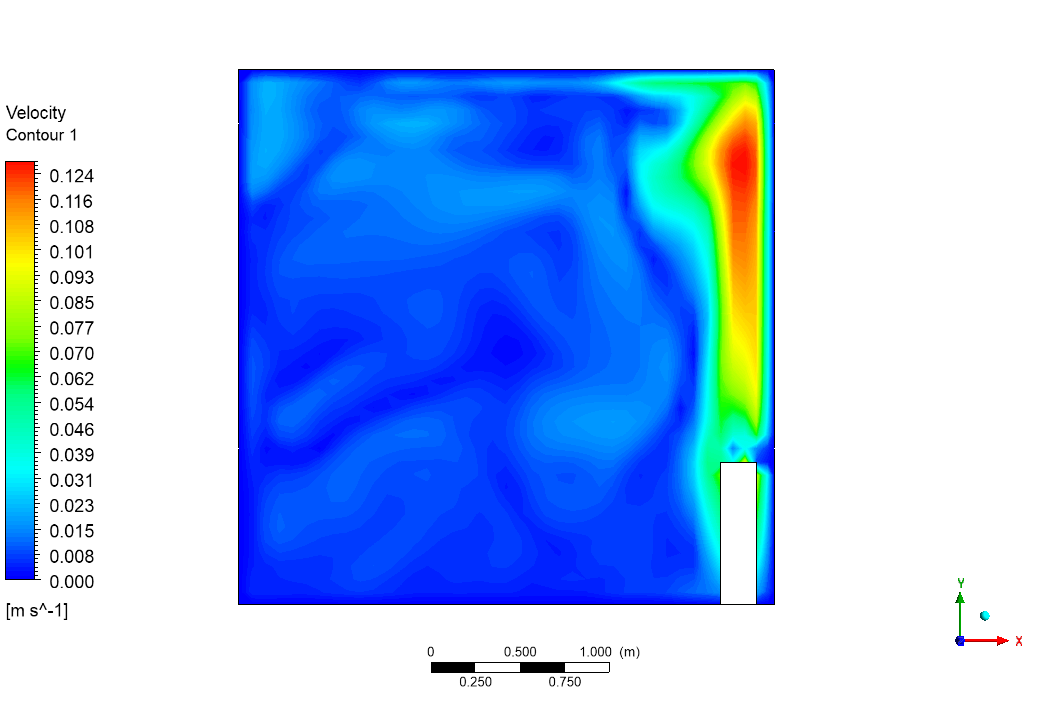
To understand this Heater In a Room CFD simulation, think of the heater as an engine. But instead of pistons, it uses density to move things. The analysis begins at the heat source. We put 100 W/m³ of energy into the heater. This energy warms the air molecules touching it. When air gets hot, it expands and becomes lighter than the cold air around it. This density difference creates a force called “Buoyancy.” Look at the Velocity Contour in Figure 3. You can see a bright red column of air rising directly above the heater. This is the “Thermal Plume.” The simulation data shows this air is moving at a speed of about 0.124 m/s. This is the “heartbeat” of the room. This rising air hits the ceiling and spreads out.
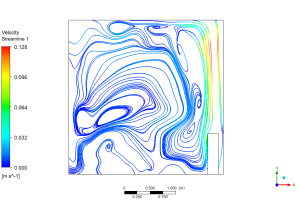
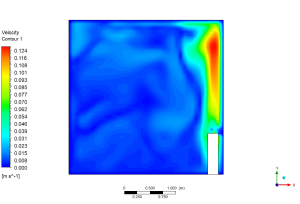
Figure 3: Buoyancy-driven flow due to heater and natural convection in a room showing the 0.124 m/s plume.
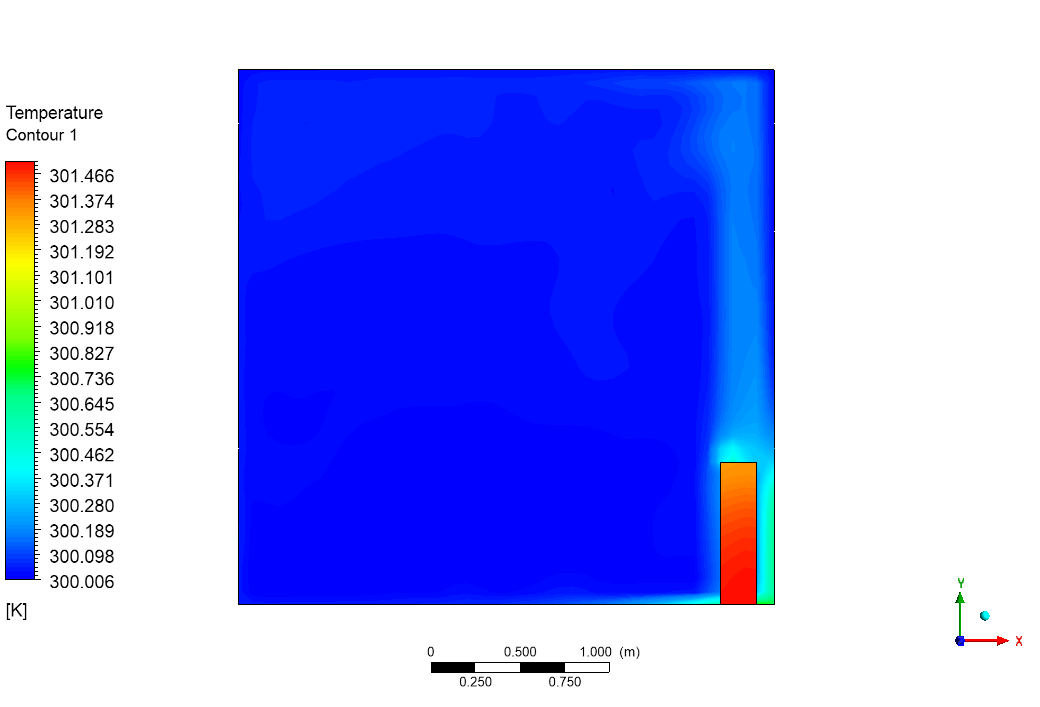
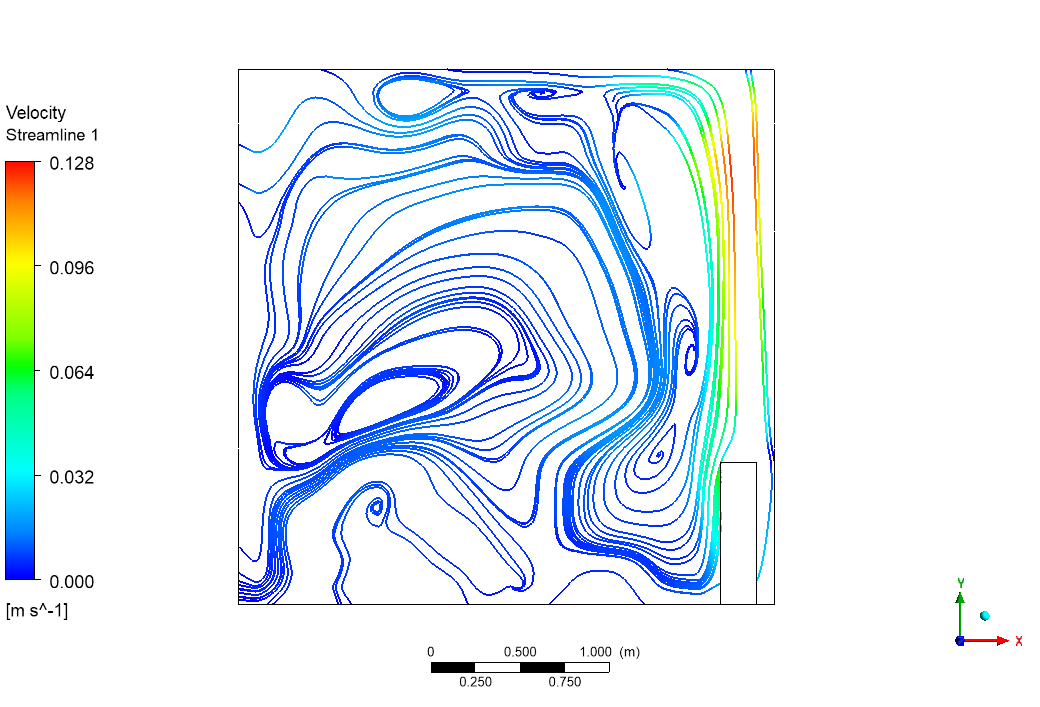
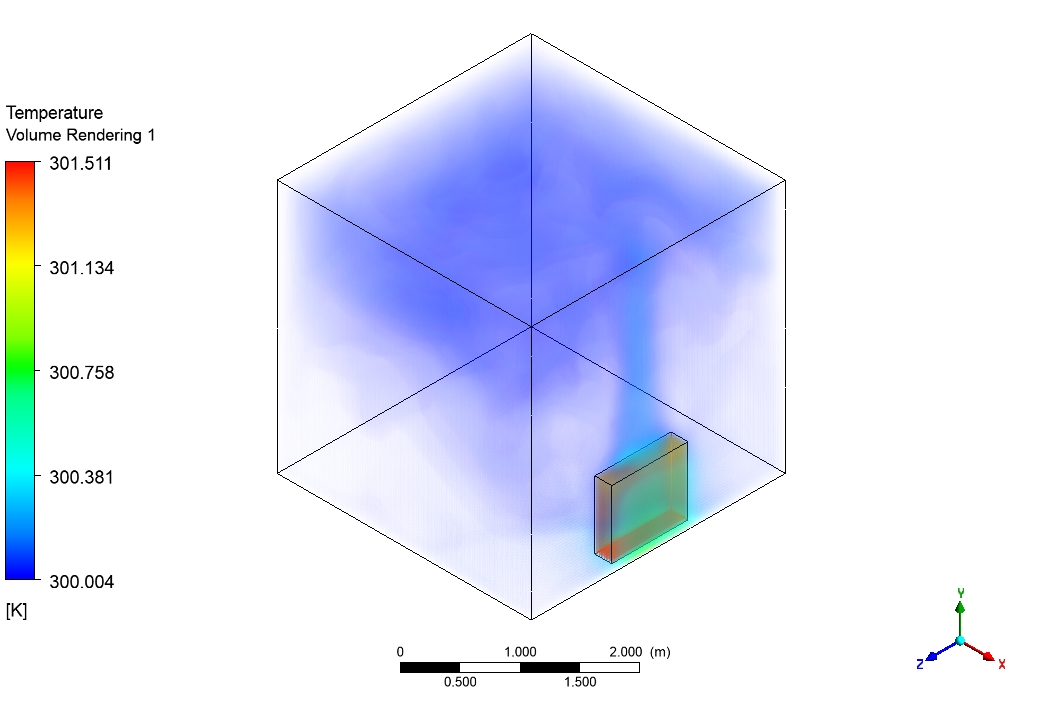
The story continues in the Temperature Contour (Figure 4). The hot air collects at the top of the room. The temperature here is high, around 301.5 Kelvin. As this air touches the cold outer walls, it loses its heat. It becomes heavy again and sinks to the floor. This sinking cold air flows back along the floor to the heater to replace the rising hot air. This creates a giant, invisible circle of wind. This results in “Thermal Stratification,” where your head might be warm (301.5 K) but your feet remain in the cooler zone. This Heater In a Room ANSYS fluent analysis proves that a single stationary heater acts as a pump, circulating the air for the entire room.
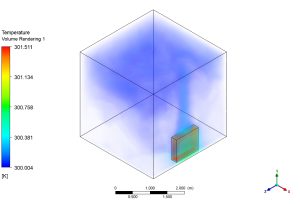
Figure 4: Temperature field around the heater in the room showing stratification (301.5 K at ceiling).









Reviews
There are no reviews yet.